SIM or eSIM? Staying Connected in Tokyo
A practical connection guide for a longer stay in Tokyo: when to choose eSIM, when a physical SIM still helps, when pocket Wi-Fi makes sense, and why residence Wi-Fi should be your base—not your only plan.

Written by Hive Heaven
The first internet decision in Tokyo is not “Which SIM is best?” It is “What kind of stay am I building?” A three-day trip, a two-week visit, and a one-month work stay do not need the same connection. A solo traveler using maps and messages does not need the same setup as someone taking video calls, uploading files, working from cafés, and moving between neighborhoods with a laptop. From HIVEN in Kinshicho, the best setup is usually layered. Use residence Wi-Fi as the base. Add mobile data for the city. Choose eSIM if your phone supports it. Use a physical SIM if your device or comfort level makes that easier. Choose pocket Wi-Fi only when the connection has to be shared across people or devices. The goal is not to buy the most powerful plan. The goal is to stay connected without making the connection itself another daily problem.
Start With the Workday, Not the Product
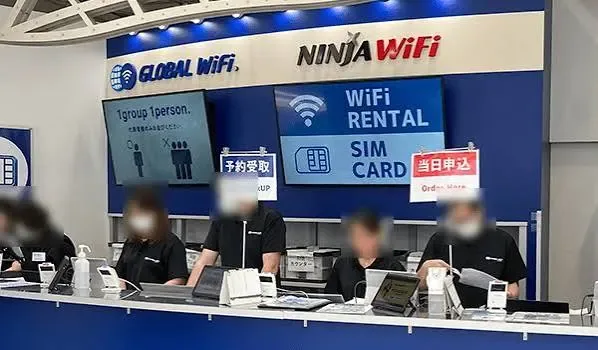
Before comparing eSIM, SIM, and pocket Wi-Fi, write down the day you actually need to support. Will you work mostly from your room? Will you take video calls outside? Will you hotspot a laptop? Will you travel around Tokyo every day? Will you need a Japanese phone number for SMS verification, reservations, delivery, or local services? This matters because many visitor data products solve only one problem: mobile internet. That is enough for maps, messaging apps, translation, transit, and light browsing. It is not always enough for local SMS, heavy hotspot use, or full remote-work redundancy. GO TOKYO notes that airport terminal buildings, many train and bus companies, and major tourist facilities offer free Wi-Fi, and that Haneda and Narita also have kiosks with rental plans. But free Wi-Fi should be treated as a supplement, not your primary connection. For a longer stay, design the setup around ordinary failure. The room Wi-Fi may be fine, but you still need data outside. The eSIM may be fine, but your laptop may need a backup. The pocket Wi-Fi may be strong, but it can run out of battery. Stable Tokyo life usually comes from overlap.
eSIM: The Cleanest First Choice
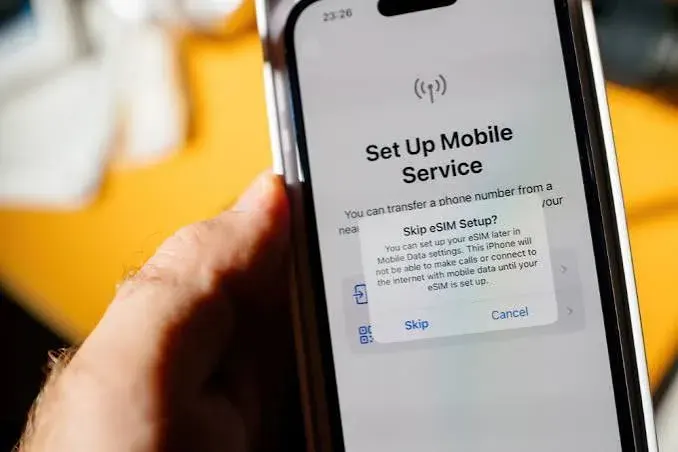
For most solo long-stay guests with a compatible unlocked phone, eSIM is the cleanest first choice. It does not require opening the SIM tray. It can often be purchased before arrival. You can keep your home SIM installed, use data in Japan, and switch plans without carrying another device. Apple’s travel eSIM guidance makes the key condition clear: an unlocked eSIM-capable iPhone can be activated with carriers around the world. This is why eSIM works well for the first 24 hours. Install it before departure when possible. Activate it according to the provider’s instructions. Make sure you understand when the validity period starts: purchase date, installation, or first connection in Japan can differ by provider. The limitation is also clear. Many travel eSIMs are data-only. That is fine for Google Maps, translation, WhatsApp, LINE, email, and transit research. It may not be enough if a service requires a Japanese phone number or SMS verification. If that is part of your stay, treat “data” and “phone number” as separate requirements. eSIM is usually the best first layer. It should not always be your only layer.
Physical SIM: Still Useful When Your Phone Needs It
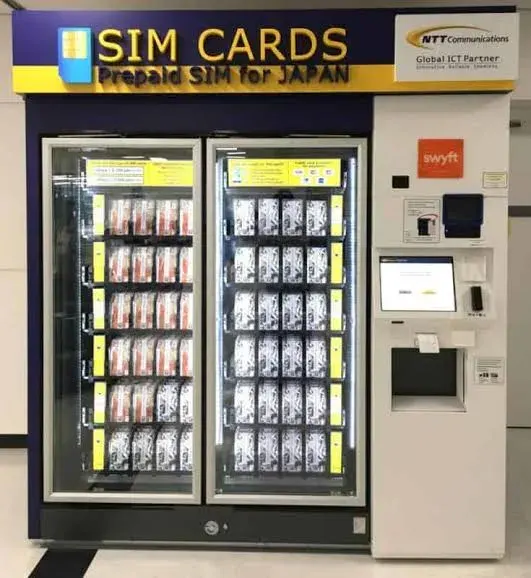
Physical SIM cards are less elegant, but they are not obsolete. They still make sense when your phone does not support eSIM, when you prefer a visible object you can buy at the airport, or when you want a simple prepaid data card without managing an app account before arrival. IIJmio’s visitor page, for example, recommends its Japan Travel SIM as a prepaid data-only SIM for visitors from abroad. Narita Airport officially lists SIM card sales locations alongside mobile phone and Wi-Fi rental services, and Haneda Airport also lists mobile phone, Wi-Fi rental, and SIM services in its terminal service information. The main caution is compatibility. Your phone must be unlocked. It must support the relevant Japanese networks and bands. If your home SIM is physical and you remove it, keep it safely. If you need to receive SMS from your home bank, moving your home SIM out of the phone may create problems. A physical SIM can be a good backup. But for a working long stay, do not buy it only because you saw a vending machine first.
AIRPORT SIM COUNTERS AND VENDING MACHINES
Haneda Airport / Narita Airport arrival areas
Open in Google Maps
Pocket Wi-Fi: Best When the Connection Is Shared
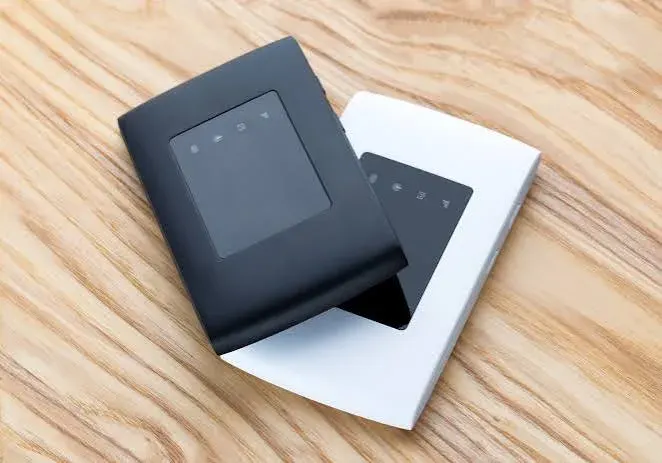
Pocket Wi-Fi is not always the simplest choice for one person. You have to carry it. You have to charge it. You have to return it. If you leave it in the room, your phone has no mobile data outside unless you also have a SIM or eSIM. But pocket Wi-Fi becomes useful when the connection is shared. It can support multiple devices, a couple traveling together, a family, or a person who needs to connect both phone and laptop away from the residence. GO TOKYO notes that Haneda and Narita have kiosks offering rental plans, and Narita’s official service page lists Wi-Fi rental services among airport connectivity options. For digital nomads, pocket Wi-Fi is best understood as a project tool, not a default. Use it for heavy outside-work days, group use, or backup when you know you will need laptop connectivity away from the room. Do not choose it just because it feels more powerful. A device that stays in your bag with 8% battery is not better than an eSIM that works immediately.
Residence Wi-Fi: Your Base Layer
Residence Wi-Fi should be your base layer. For a one-month stay, the most important internet connection is the one that supports work at home: video calls, file uploads, cloud documents, streaming, backups, software updates, and the quiet administrative work of living abroad. But residence Wi-Fi should not be your only connection. Tokyo life is mobile. You will need maps on the way to a supermarket. You will check train changes while moving through stations. You may need translation in a clinic, café, hardware store, or taxi queue. You may need to message someone when you are already outside. Think of it this way: Residence Wi-Fi is for work stability. Mobile data is for city stability. A backup is for the day one of them fails.
“For a long stay, the best connection is not the fastest one on paper. It is the one that still works on an ordinary Tuesday.”
Best by Stay Length
For 1–7 days, eSIM is usually the cleanest answer if your phone supports it. You need maps, messaging, translation, and transit information more than you need complex redundancy. For 1–2 weeks, eSIM still works well for solo travelers. Add pocket Wi-Fi only if you are sharing with someone else or using a laptop outside the residence. For 3–4 weeks, the best setup is usually residence Wi-Fi plus eSIM. This gives you a stable work base and mobile data outside. If you take frequent video calls outside or need to connect multiple devices, add pocket Wi-Fi selectively. For one month or longer, separate the questions. Data is one question. A Japanese phone number is another. Work backup is another. If you need a Japanese number for SMS or local services, look at Voice + Data SIM/eSIM options rather than assuming a normal travel eSIM will solve it. Mobal, for example, offers Japan eSIM options and distinguishes data-only use from Voice + Data needs. The best long-stay setup is rarely one perfect product. It is a calm combination.
What Digital Nomads Should Check
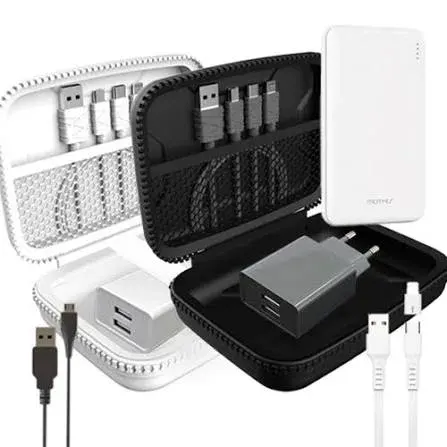
If you are working from Tokyo, do not stop at “I have internet.” Check the practical details. Can your phone hotspot reliably? Does your plan allow tethering? Does your laptop need video calls outside the room? Do you need a Japanese phone number? Can you receive home-bank SMS while using the Japan connection? Do you have enough battery to keep mobile data alive during a long day out? Also check device basics before departure: unlocked phone, eSIM support, SIM tray type, charger, plug adapter, power bank, and enough cloud/offline access for the first day. Apple’s travel eSIM guidance is useful here because it reminds travelers that eSIM depends on device support and carrier activation, not only on buying a plan. In Kinshicho, keep the hardware side simple. If you forget a cable, charger, adapter, or small accessory, the station-area electronics stores can usually solve the physical problem faster than another online search. The real failure point is often not the network. It is the missing cable.
KINSHICHO STATION AREA / ELECTRONICS BACKUP
Around Kinshicho Station, Sumida City, Tokyo
Open in Google Maps
Choose Redundancy, Not Perfection
The best Tokyo connection plan is not dramatic. It is boring in the right way. Your phone works when you leave the station. Your room Wi-Fi supports the workday. Your laptop has a backup if the afternoon moves outside. Your home number can still receive what it needs to receive. Your battery lasts until you are back at HIVEN. For most long-stay guests, the answer is simple: eSIM for mobile data. Residence Wi-Fi for work. Pocket Wi-Fi only when the connection must be shared or backed up. Physical SIM when your device or travel style needs it. Do not choose the most complicated setup because Tokyo feels complicated. Choose the setup that makes Tokyo easier to live in. Once the connection disappears into the background, the city becomes easier to use: trains, groceries, maps, cafés, work calls, quiet walks, and the small administrative details that make a month feel stable. That is the point of staying connected. Not to stay online all the time. To stop thinking about being offline at the wrong moment.


