Can You Really Work Remotely From a Tokyo Furnished Apartment?
A remote-work checklist for Tokyo furnished apartments: Wi-Fi, desk setup, chair comfort, outlets, lighting, video calls, backup cafés, coworking spaces, and long-stay routine.

Written by Hive Heaven
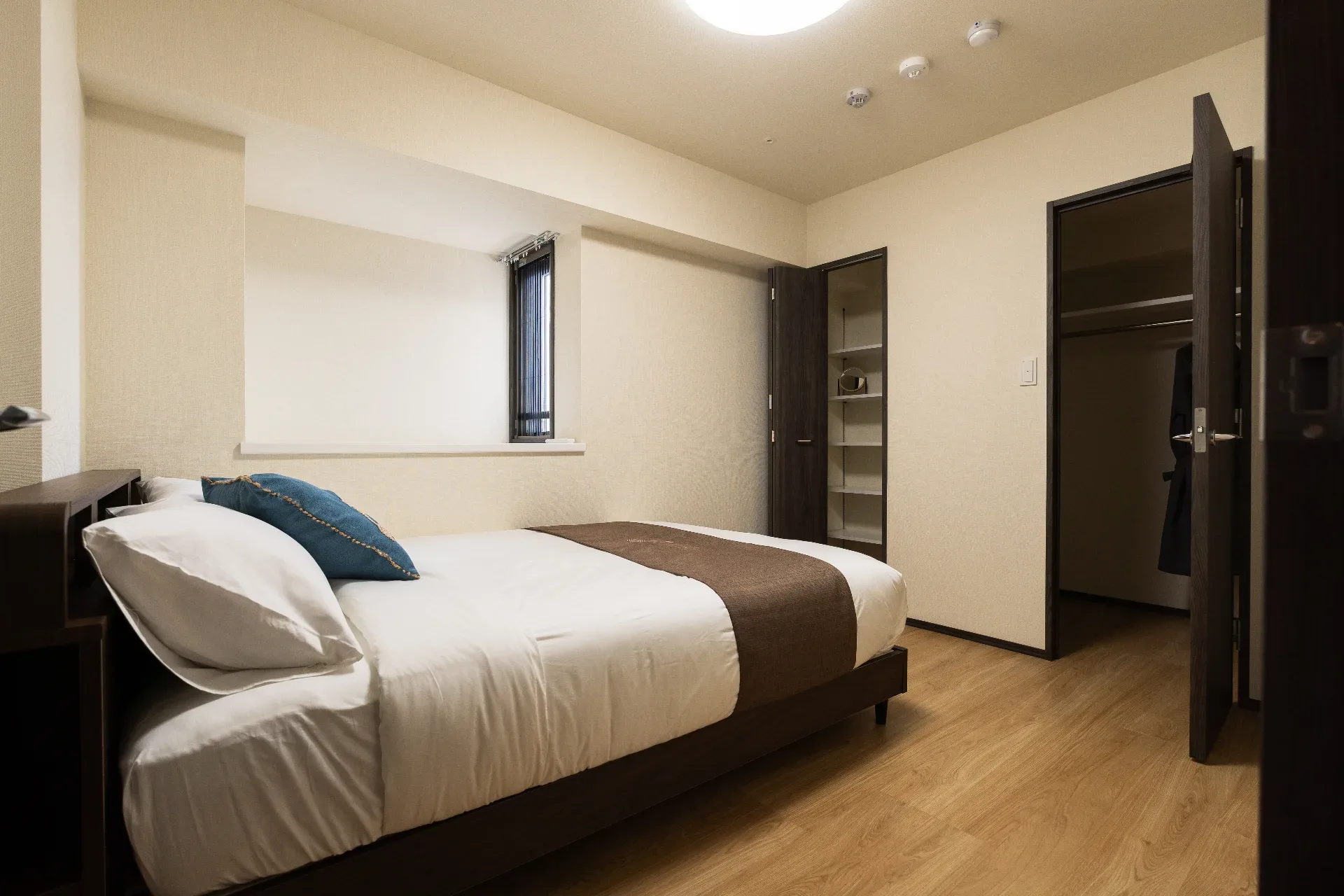
A furnished apartment in Tokyo can look comfortable in photos and still fail as a remote-work base. A bed, table, and Wi-Fi label are not enough if the connection drops during calls, the chair hurts after two hours, outlets are in the wrong place, the room is too dark, or there is no backup place to work nearby. For digital nomads, business travelers, and long-stay guests, the real question is not only “Can I sleep here?” It is “Can I work here for a full week?” This guide explains how to check whether a Tokyo furnished apartment is truly remote-work ready, using HIVEN Kinshicho as the long-stay example.
A Furnished Apartment Is Not Always Work-Ready
“Furnished” usually tells you that the room has objects. It does not automatically tell you whether the room can support a workday. A furnished apartment may include a bed, table, chair, appliances, and Wi-Fi, but remote work depends on a more specific system: stable internet, a usable desk, a chair that can hold several hours, privacy for calls, lighting, outlets, food nearby, laundry, and a neighborhood that lets you reset after work. This is why remote workers should read apartment listings differently. A travel guest may check the bed first. A remote worker should check the desk, router, outlets, call privacy, and backup work locations first.
Wi-Fi Is Only the First Test
Wi-Fi is the first thing to check, but it should not be the only thing. Before booking a Tokyo apartment for remote work, confirm whether internet is already active, whether it is included in the stay, whether there is a router in the room, and whether the connection is suitable for video calls, cloud tools, streaming, and daily communication. Tokyo furnished-apartment competitors already compete on this point. HalfKey describes its furnished monthly apartments as including utilities, Wi-Fi, cleaning, and concierge support, while HIVEN’s Kinshicho BK 1201 listing highlights high-speed Wi-Fi and a full kitchen. The important lesson is simple: “Wi-Fi included” is not the end of the question. For remote work, you also need a backup plan. That may mean mobile data, eSIM, pocket Wi-Fi, a nearby café, or a coworking space.
The Desk and Chair Decide the Workday
A small table can be enough for breakfast, but not always enough for work. Before booking, look closely at the desk height, chair type, lighting, wall outlet position, laptop angle, and whether there is enough surface space for a laptop, charger, notebook, coffee, and phone. This is one of the quiet differences between a room that photographs well and a room that works well. A remote worker does not need a corporate office, but the setup must survive repeated use. If the apartment is for 29 nights or more, the chair is not a detail. It is part of the stay.
Can You Take Calls Without Stress?
Remote work is not only typing. It is calls, meetings, voice notes, time-zone overlap, and sometimes late-night or early-morning communication. Before booking, ask whether the room has enough privacy for calls. Check whether the desk faces a calm background, whether the bed dominates the camera frame, whether street noise is likely, and whether there is a place to sit where you will not feel exposed. For international work, this matters even more. Tokyo may be quiet in the morning while your team is active at night, or the reverse. A good remote-work apartment should let you take calls without rearranging the room every time.
Lighting, Outlets, and Small Friction Matter
Remote work fails through small friction: a charger stretched across the floor, a chair that scrapes every time you move, a desk with no lamp, glare on the screen, no place for headphones, or a room that becomes too hot during afternoon calls. These details do not always appear in the listing title, but they shape the workday. Use the photos carefully. Look for visible outlets near the desk. Check whether there is natural light without direct glare. See whether the chair has a backrest. Ask whether there is air conditioning or heating. If you cannot confirm these details, treat the room as “possibly furnished,” not “work-ready.”
Cafés Nearby Are Your Backup Office
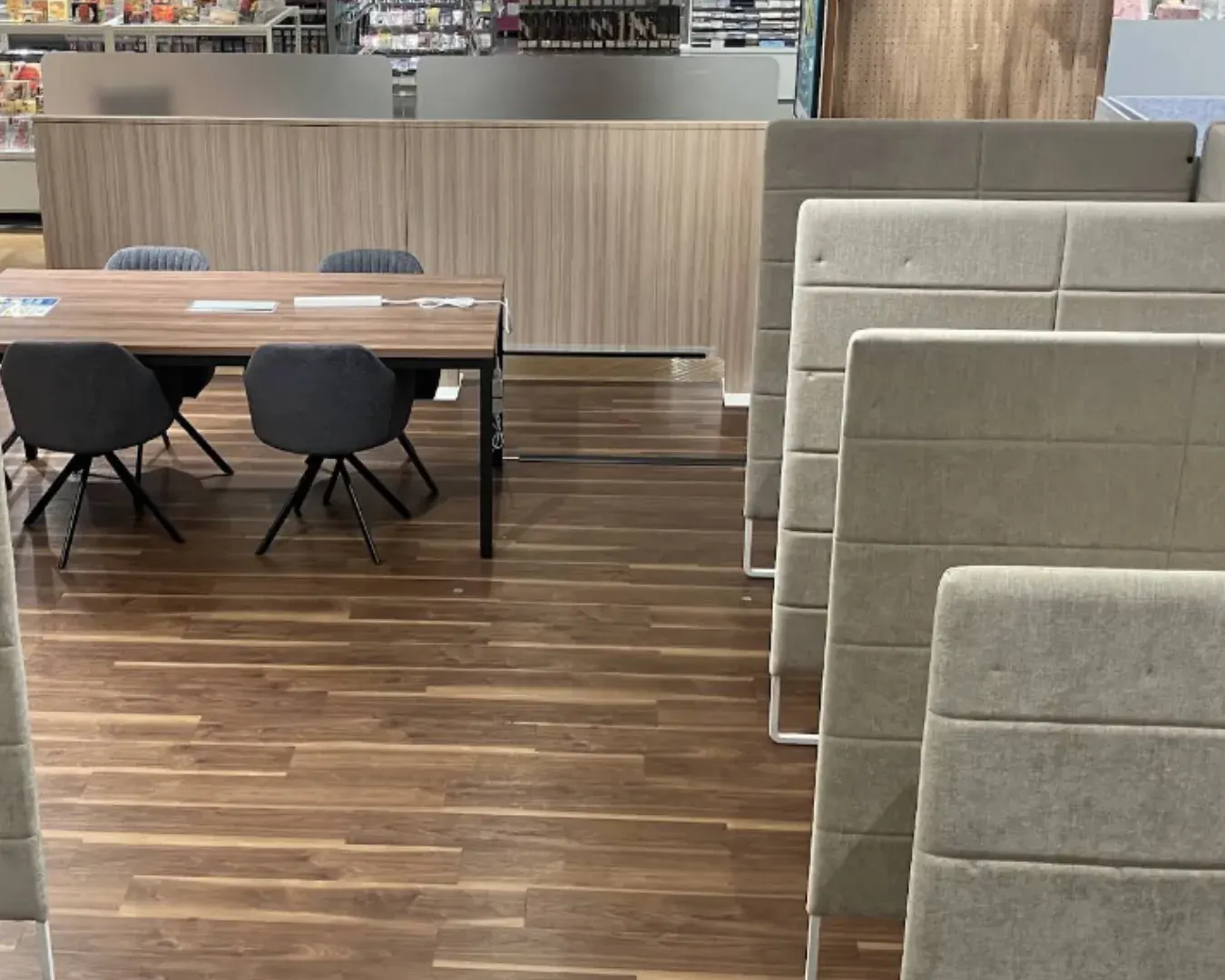
Even with good room Wi-Fi, remote workers need a second place. A nearby café is not only a lifestyle extra. It is a backup office for days when the room feels too quiet, a call ends badly, or you need to reset between work blocks. Around Kinshicho, Doutor Coffee Shop Kinshicho Kinshi Park-mae is a useful backup because the official store page lists free Wi-Fi and power outlets. Coin Space Kinshicho PARCO is another backup: the PARCO page describes Wi-Fi, power, and food carry-in availability, while Coin Space positions itself as an hourly working space with power and Wi-Fi. The test is not whether you want to work in cafés every day. The test is whether the neighborhood gives you options when the apartment alone is not enough.
Coin Space Kinshicho PARCO
Kinshicho PARCO, Rakutenchi Building, 4-27-14 Kotobashi, Sumida City, Tokyo
Open in Google Maps
DOUTOR COFFEE SHOP Kinshicho Kinshi Park-mae
3-4-9 Kinshi, Sumida City, Tokyo 130-0013
Open in Google Maps
The Neighborhood Has to Support the Workday
A remote-work apartment is not only the room. The neighborhood has to support the day around work: coffee, lunch, groceries, short walks, transport, and a place to decompress after screen time. Kinshicho is useful because it has Tokyo Metro Hanzomon Line access; Tokyo Metro lists Kinshicho as station Z13 at 3-14-6 Kotobashi, Sumida-ku. For a long stay, that transit base matters. You may not commute every day, but you still need easy access to meetings, cafés, errands, and other parts of Tokyo. A remote-work stay works best when the apartment, station, groceries, cafés, and quiet breaks form one repeatable system.
HIVEN stay & residence BK Kinshicho
BK Kinshicho 201, 4-6-4 Kotobashi, Sumida-ku, Tokyo 130-0022, Japan
Open in Google Maps
Why HIVEN Works for Remote-Work Long Stays
HIVEN works for remote-work long stays because it is built for the gap between travel and normal housing. HIVEN’s official site highlights 29+ nights minimum, fully furnished homes, and bilingual concierge from arrival through daily life in Tokyo. Its Kinshicho BK 1201 listing also highlights high-speed Wi-Fi and a full kitchen, both of which matter for guests who need to work and live in the same space. The HIVEN advantage is not only that the room is furnished. It is that the stay is structured for a month when work, rest, food, laundry, calls, and neighborhood rhythm all matter. A basic furnished apartment may answer “Where will I sleep?” HIVEN should answer “How will my Tokyo workday function?”
“A good long-stay apartment should support both sleep and work.”
Remote-Work Checklist Before You Book
Before booking a Tokyo furnished apartment for remote work, check the full workday system. Wi-Fi: Is it already active, stable, and included? Backup internet: Do you have eSIM, mobile data, or pocket Wi-Fi? Desk: Is there enough surface space for laptop, charger, notes, and coffee? Chair: Can you sit for several hours without pain? Outlets: Are they close to the desk, bed, and work area? Lighting: Is there enough natural light or a proper desk lamp? Calls: Is the room private enough for video meetings? Noise: Is the apartment near heavy street noise, nightlife, or train noise? Background: Can you take calls without showing the whole bed or suitcase? Food: Can you get coffee, lunch, and groceries without losing the day? Laundry: Can you manage clothes and towels during workweeks? Backup office: Is there a café or coworking space nearby? Support: Is there someone to contact if Wi-Fi, appliances, or access fail? If the listing does not answer these questions, ask before booking.
FAQ: Working Remotely From a Tokyo Furnished Apartment
Can I work remotely from a furnished apartment in Tokyo? Yes, but only if the apartment is work-ready. Check Wi-Fi, desk, chair, lighting, outlets, call privacy, noise, food nearby, laundry, and backup work locations. Is Wi-Fi usually included in Tokyo furnished apartments? Many furnished monthly operators advertise Wi-Fi as included. HalfKey, for example, describes furnished monthly apartments with Wi-Fi included, and HIVEN’s Kinshicho BK 1201 listing highlights high-speed Wi-Fi. Always check the specific listing before booking. Do I need a coworking space if my apartment has Wi-Fi? Not always, but a backup helps. A café or coworking space gives you another option if the room feels too still, if you need a change of environment, or if your schedule requires a more work-focused setting. Is Kinshicho good for remote work in Tokyo? Kinshicho is practical because it has Tokyo Metro Hanzomon Line access, station-area cafés, coworking backup, supermarkets, restaurants, and daily-life infrastructure. Tokyo Metro lists Kinshicho as station Z13 on the Hanzomon Line. Why choose HIVEN for a remote-work stay in Tokyo? HIVEN is designed for 29+ night stays with fully furnished homes and bilingual concierge support, and its Kinshicho listing highlights high-speed Wi-Fi. That makes it a strong fit for guests who need to work, live, and settle into Tokyo for more than a short trip.
A Tokyo apartment for remote work should not be judged by furniture alone. A bed and table may make a room furnished, but they do not automatically make it work-ready. For a real long stay, the important details are quieter: stable Wi-Fi, a real desk, a chair that holds the day, outlets in the right place, privacy for calls, food nearby, laundry, and a backup place to work when the room is not enough. That is where HIVEN fits best. It is not only a furnished apartment in Tokyo. It is a long-stay base designed for the kind of month where work and life happen in the same neighborhood.